
TL;DR: In the early days of SwiftUI, GeometryReader was the only option for measuring view dimensions, but it often caused layout side effects due to its greedy nature. With the evolution of SwiftUI (specifically iOS 16, 17, and 18), we now have superior alternatives like onGeometryChange and visualEffect that offer better performance and cleaner architecture.
Dynamically obtaining a view’s size is a common requirement in SwiftUI. This article explores the 4 mainstream methods available as of 2025, helping you choose the best approach for your specific scenario.
1. The Universal Solution: GeometryReader
GeometryReader is the most compatible method, available in all SwiftUI versions. To prevent it from expanding greedily and ruining your layout, the best practice is to attach it as a background or overlay to the target view.
Code Example
blueRectangle
  .background(
    GeometryReader { proxy in
      Color.clear // Create a transparent view matching the parent's size
        .task(id: proxy.size) {
          size = proxy.size // Capture the size and monitor changes
        }
    }
)Characteristics:
- Pros: Highest compatibility (works on all iOS versions).
- Cons: Verbose syntax. If used directly (wrapping the view), it forces the view to expand to fill the available space, which often alters the intended layout.
2. The Modern Standard: onGeometryChange (Recommended)
Introduced in iOS 16 and enhanced in iOS 18, this is currently the most recommended way to retrieve view size. It is designed purely for monitoring geometry and does not affect the layout structure like GeometryReader.
Code Example
struct SizeDemo: View {
    @State var size: CGSize?
    var body: some View {
        Rectangle()
            // iOS 16+ Basic Usage
            .onGeometryChange(for: CGSize.self) { proxy in
                proxy.size
            } action: { newValue in
                size = newValue
            }
    }
}
iOS 18+ Enhancements
iOS 18 added support for accessing the previous value, which is incredibly useful for handling animations or transition logic:
.onGeometryChange(for: CGSize.self) { proxy in
    proxy.size
} action: { old, new in
    print("Size changed from \(old) to \(new)")
}
3. For Visual Effects Only: visualEffect
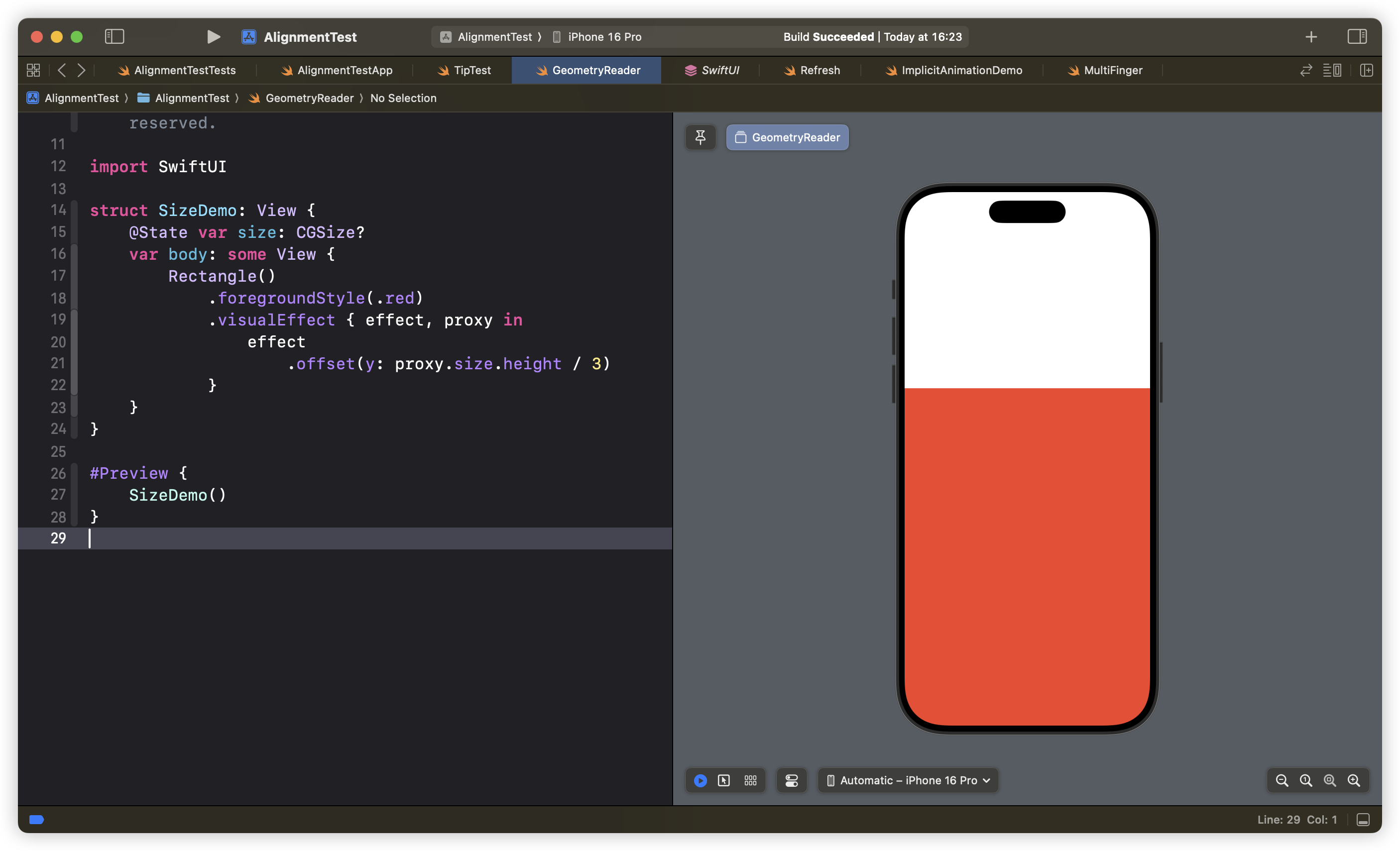
If your goal is to adjust visual effects (such as offset, scale, or blur) based on size, without altering the layout flow, visualEffect (introduced in iOS 17) is the most performant choice. It avoids the cycle of updating @State to trigger a re-render.
Code Example
struct EffectDemo: View {
    var body: some View {
        Rectangle()
            .foregroundStyle(.red)
            .visualEffect { content, proxy in
                // Use proxy directly to read size; no State binding needed
                content.offset(y: proxy.size.height / 3)
            }
    }
}
Effect
4. Container-Relative Layout: containerRelativeFrame
containerRelativeFrame (iOS 17+) is a powerful tool for “grid-like” or “split-screen” layouts. Instead of asking for a specific point value, you declare “what fraction of the container width this view should occupy.”
Code Example
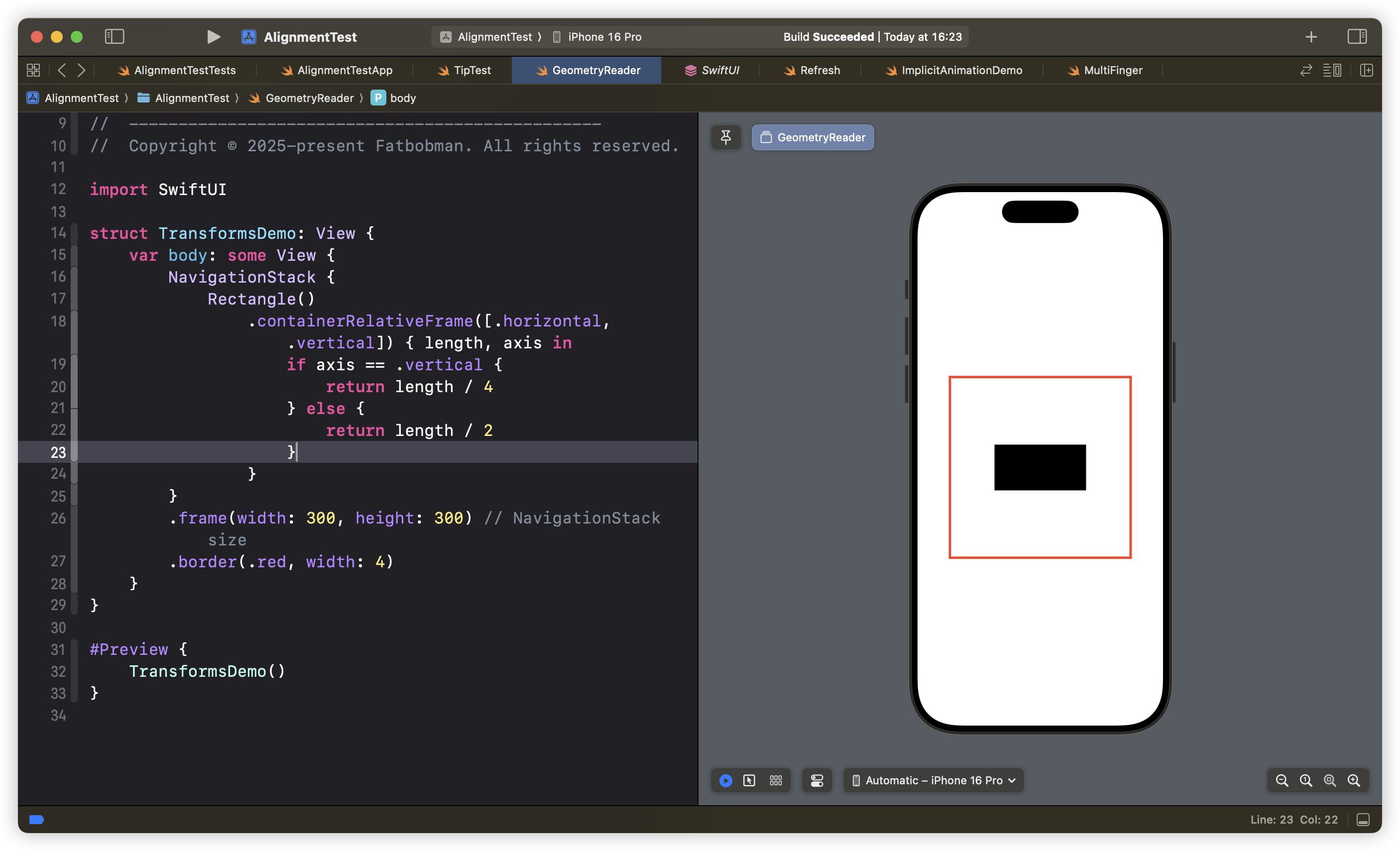
The following code sets a rectangle to be 1/2 the width and 1/4 the height of its nearest container (e.g., Window or ScrollView):
struct TransformsDemo: View {
    var body: some View {
        Rectangle()
            .containerRelativeFrame([.horizontal, .vertical]) { length, axis in
                if axis == .vertical {
                    return length / 4
                } else {
                    return length / 2
                }
            }
    }
}
Application
It automatically looks up the view hierarchy to find the nearest specific container (like NavigationStack or ScrollView).
Implementing a “three cards per screen” layout in a ScrollView becomes trivial:
Rectangle()
    .containerRelativeFrame(.horizontal, count: 3, span: 1, spacing: 10)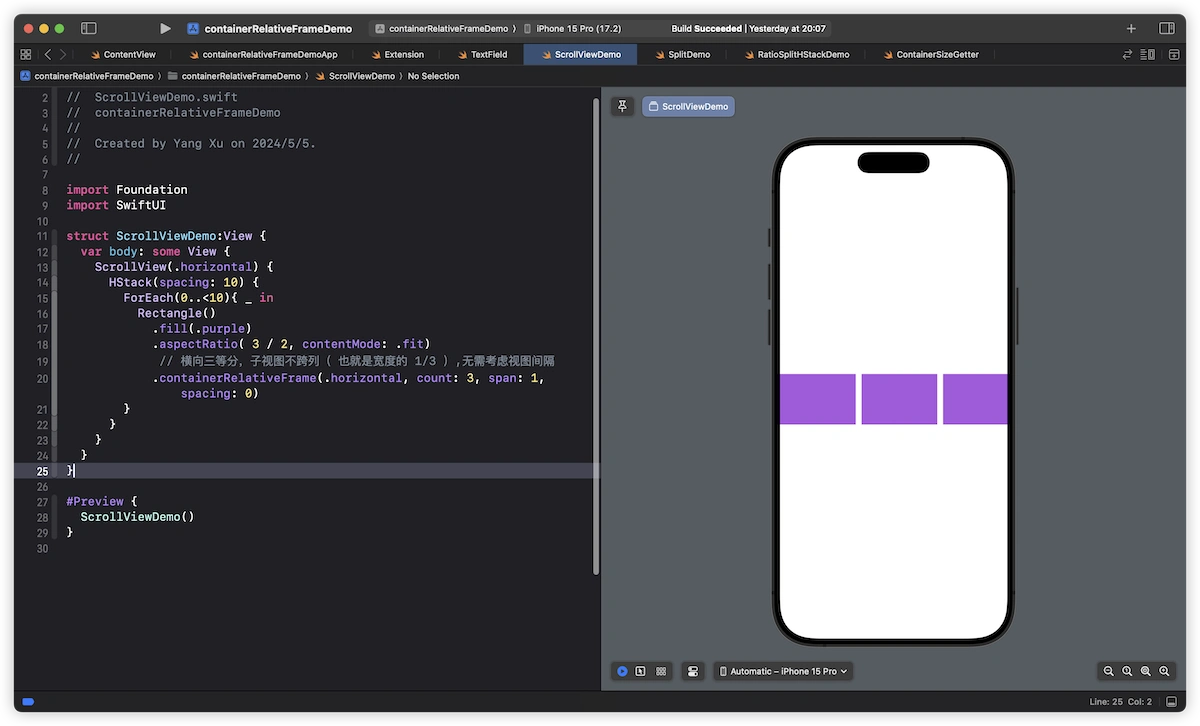
Summary: Which One to Choose?
| Method | Min OS | Use Case | Recommendation |
|---|---|---|---|
| onGeometryChange | iOS 16+ | Top Pick. When you need the numeric size value to update State. | ⭐⭐⭐⭐⭐ |
| visualEffect | iOS 17+ | For adjusting visual effects (offset, scale) only. No layout re-calculation triggered. | ⭐⭐⭐⭐ |
| containerRelativeFrame | iOS 17+ | When layout relies on proportional sizing relative to a parent (Screen/ScrollView). | ⭐⭐⭐⭐ |
| GeometryReader | iOS 13+ | Legacy projects, or when you specifically need CoordinateSpace conversions. | ⭐⭐ |