
TL;DR: The standard way to “silently” present a view or push a navigation page (without animation) in SwiftUI is to wrap the state change in withTransaction and set disablesAnimations to true. This is crucial for handling Deep Links or resetting App state.
SwiftUI provides built-in transition animations for many components (such as Sheet, FullScreenCover, and NavigationStack) by default. However, in certain scenarios—such as Deep Link navigation or jumping directly to a specific page after a launch screen—developers need to bypass these visual transitions and enter the target state immediately.
The Principle
While SwiftUI doesn’t provide a direct animated: false modifier parameter like UIKit did, we can leverage the Transaction mechanism. By customizing a Transaction and setting its disablesAnimations property to true, we can force SwiftUI to ignore all implicit and explicit animations triggered by that specific state change.
Core Logic
var transaction = Transaction(animation: .none)
transaction.disablesAnimations = true

withTransaction(transaction) {
    // State change code triggering Sheet or Navigation
    isActive = true
}
Practical Examples
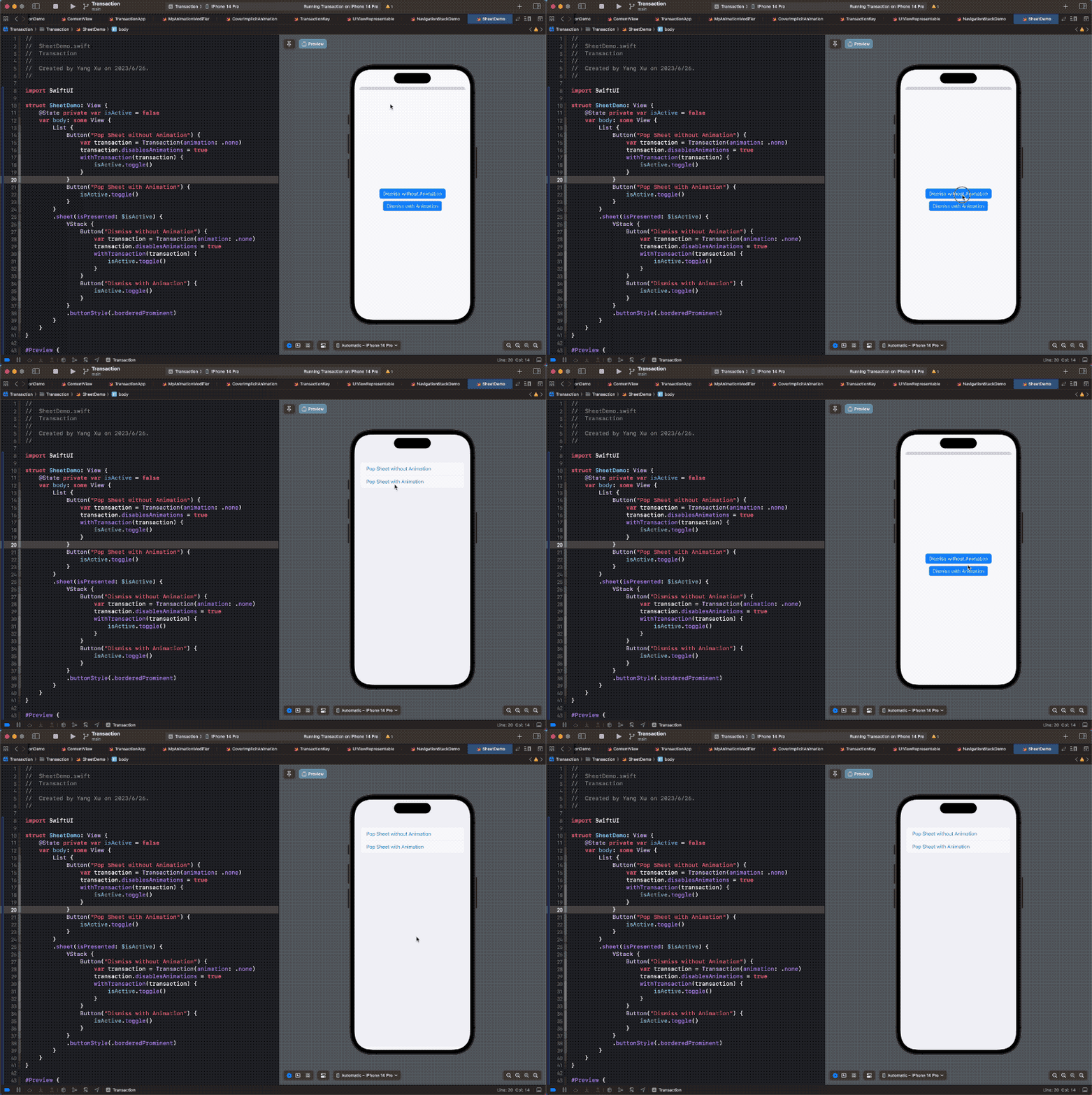
1. Disabling Sheet Animations
This is particularly useful when you need to swap out view hierarchies or present a modal instantly upon a trigger.
struct SheetDemo: View {
    @State private var isActive = false

    var body: some View {
        Button("Present Immediately (No Animation)") {
            var transaction = Transaction(animation: .none)
            transaction.disablesAnimations = true

            withTransaction(transaction) {
                isActive = true
            }
        }
        .sheet(isPresented: $isActive) {
            SheetContent(isActive: $isActive)
        }
    }
}

struct SheetContent: View {
    @Binding var isActive: Bool

    var body: some View {
        VStack {
            Text("Sheet View")
            Button("Dismiss Immediately (No Animation)") {
                var transaction = Transaction(animation: .none)
                transaction.disablesAnimations = true

                withTransaction(transaction) {
                    isActive = false
                }
            }
        }
    }
}
Demo
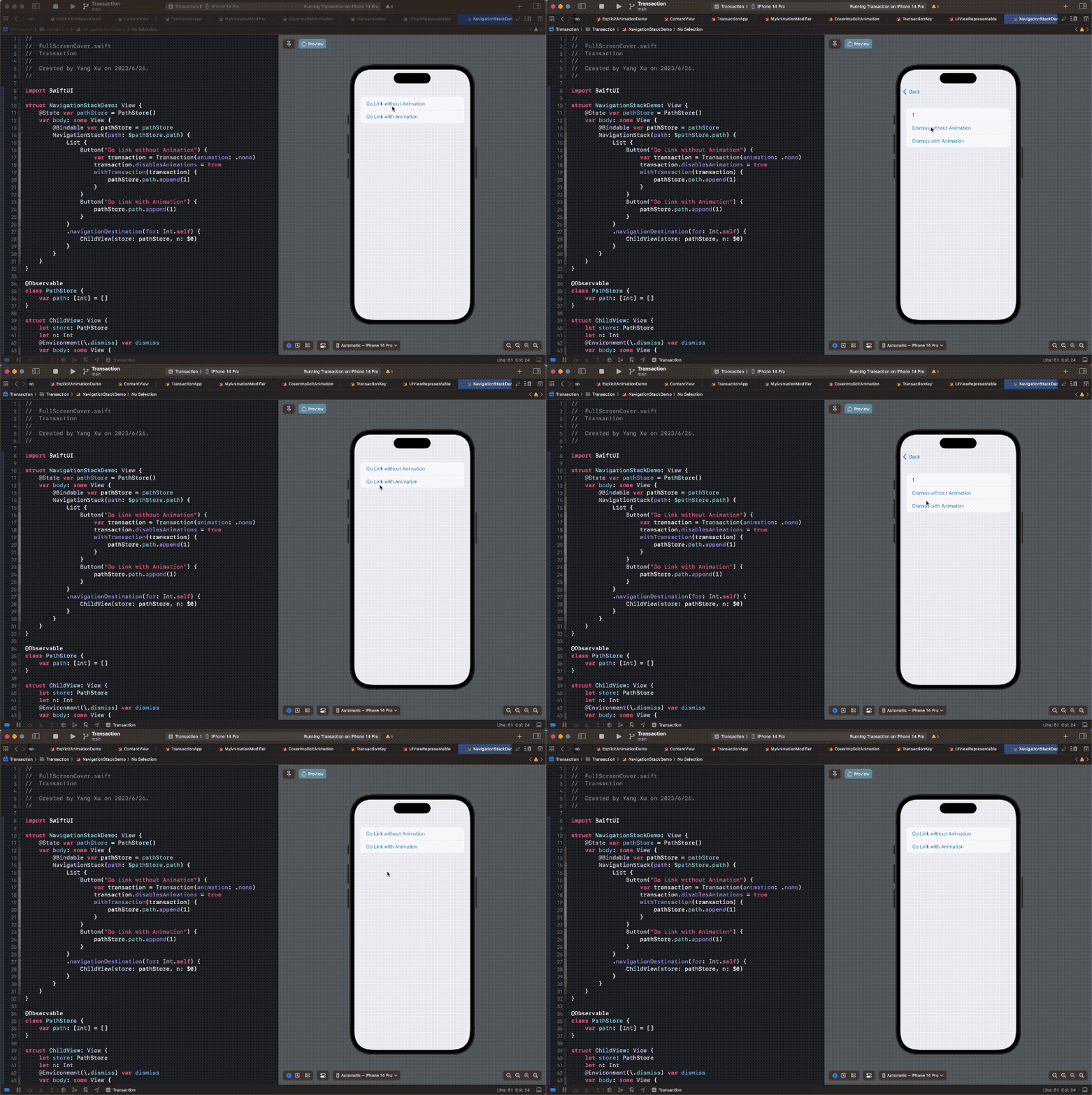
2. Disabling NavigationStack Transitions
In the era of iOS 17+ and Swift 6, NavigationStack combined with @Observable is the mainstream approach for data-driven navigation. Here is how to push a new page silently:
@Observable
class PathStore {
    var path: [Int] = []
}

struct NavigationStackDemo: View {
    @State var pathStore = PathStore()

    var body: some View {
        NavigationStack(path: $pathStore.path) {
            List {
                Button("Push Page (No Animation)") {
                    var transaction = Transaction(animation: .none)
                    transaction.disablesAnimations = true

                    withTransaction(transaction) {
                        pathStore.path.append(1)
                    }
                }
            }
            .navigationDestination(for: Int.self) { n in
                Text("Page \(n)")
            }
        }
    }
}
Demo
Key Considerations
-
Scope Limitation: The
Transactionsettings only affect state changes that occur inside thewithTransactionclosure. If you accidentally include unrelated state changes (like a color toggle) within the closure, their animations will also be disabled. -
Avoid Side Effects: It is recommended to isolate the state change logic used for navigation. Do not mix it with general business logic to ensure
disablesAnimationsdoesn’t inadvertently kill animations for other UI components. -
Compatibility: This method remains effective and stable in the latest versions of SwiftUI and is considered best practice for Deep Link scenarios.